
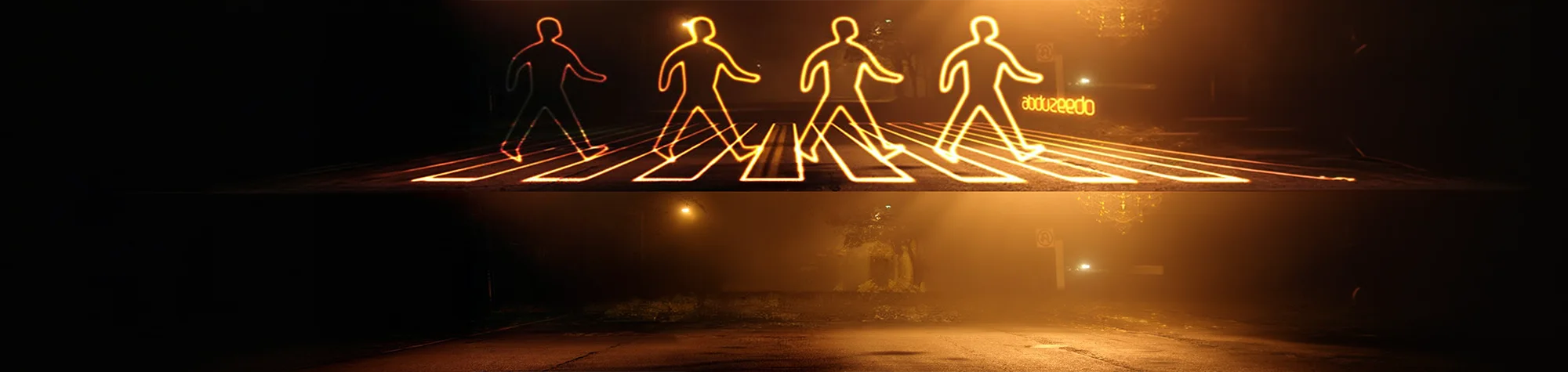
Glowing Light Painting in Photoshop
In this tutorial, you’ll learn how to create a glowing light painting effect in Photoshop that you can apply to almost any image.
This effect adds vibrant, glowing streaks of light that wrap around subjects and scenes, instantly making your photos feel energetic and modern. The technique works great for portraits, creative artwork, and dramatic compositions.
This is a two-part tutorial, so make sure you watch both videos to fully complete the glowing light painting effect.
Watch the Glowing Light Painting Photoshop Tutorial
Watch both videos below to follow the full light painting process from start to finish.
What You’ll Learn in This Tutorial
In this tutorial, you will learn how to:
-
Create glowing light painting effects in Photoshop
-
Use brushes to paint realistic light trails
-
Add glow and lighting effects
-
Blend light with your subject naturally
-
Build complex effects step by step
Who This Tutorial Is For
This tutorial is perfect for:
-
Photoshop beginners and intermediates
-
Digital artists
-
Creative photo editors
-
Designers working on visual effects
Where You Can Use This Effect
Glowing light painting effects work well for:
-
Portrait photography
-
Creative artwork
-
Music and event visuals
-
Social media graphics
-
Concept and fantasy images
Professional Photoshop Editing Services
If you’d like custom light effects or professional Photoshop editing, I offer high-quality Photoshop services for individuals and businesses.
Attribution and Licensing
CC BY 2.0/Marco Arment: https://www.flickr.com/photos/marcoarment/2058577742/sizes/l
CC BY-SA 2.0/Julio César Cerletti García: https://www.flickr.com/photos/mybuffo/311483225/sizes/o/
Background Music: Sovereign Kevin MacLeod (incompetech.com). Licensed under Creative Commons: By Attribution 3.0 License http://creativecommons.org/licenses/by/3.0/
Subscribe for More Photoshop Tutorials
Subscribe to my YouTube channel for more Photoshop tutorials, creative effects, and professional editing techniques.