
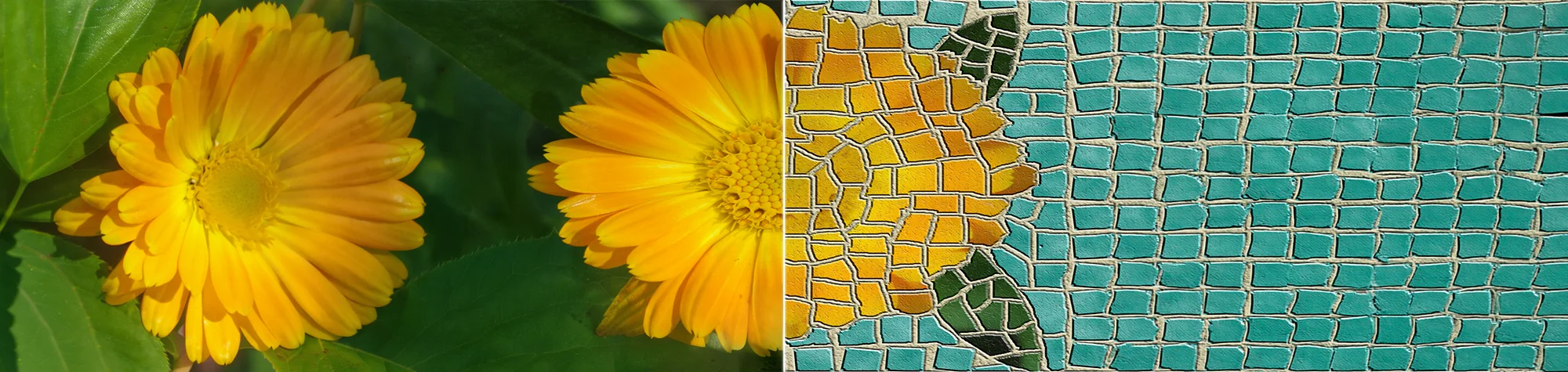
Mosaic Effect in Photoshop
n this tutorial, you’ll learn how to create a mosaic effect in Adobe Photoshop and apply it to almost any image.
The mosaic effect works well for creative artwork, posters, portraits, and abstract designs. By breaking an image into tiled sections, you can create a bold and eye-catching visual style.
This is a two-part tutorial, so you’ll need to watch both videos to complete the full effect and understand the entire process.
Watch the Mosaic Photoshop Tutorial
Watch both videos below to follow the mosaic effect step by step from start to finish.
What You’ll Learn in This Tutorial
In this tutorial, you will learn how to:
-
Create a mosaic effect in Photoshop
-
Break images into tiled sections
-
Control tile size and spacing
-
Blend the mosaic effect smoothly
-
Apply the effect to different image types
Who This Tutorial Is For
This tutorial is perfect for:
-
Photoshop beginners
-
Graphic designers
-
Digital artists
-
Photographers experimenting with creative effects
-
Anyone wanting abstract photo styles
Where You Can Use This Effect
The mosaic effect works great for:
-
Posters and artwork
-
Creative photo edits
-
Abstract designs
-
Social media graphics
-
Personal and client projects
Professional Photoshop Editing Services
If you want a custom mosaic effect applied to your images or need professional photo editing, I offer Photoshop editing services for individuals and businesses.
Attribution and Licensing
Images are used under the SXC License
Background Music: Sovereign Kevin MacLeod (incompetech.com). Licensed under Creative Commons: By Attribution 3.0 License http://creativecommons.org/licenses/by/3.0/
Subscribe for More Photoshop Tutorials
Subscribe to my YouTube channel for more Photoshop tutorials, creative effects, and professional editing tips.