
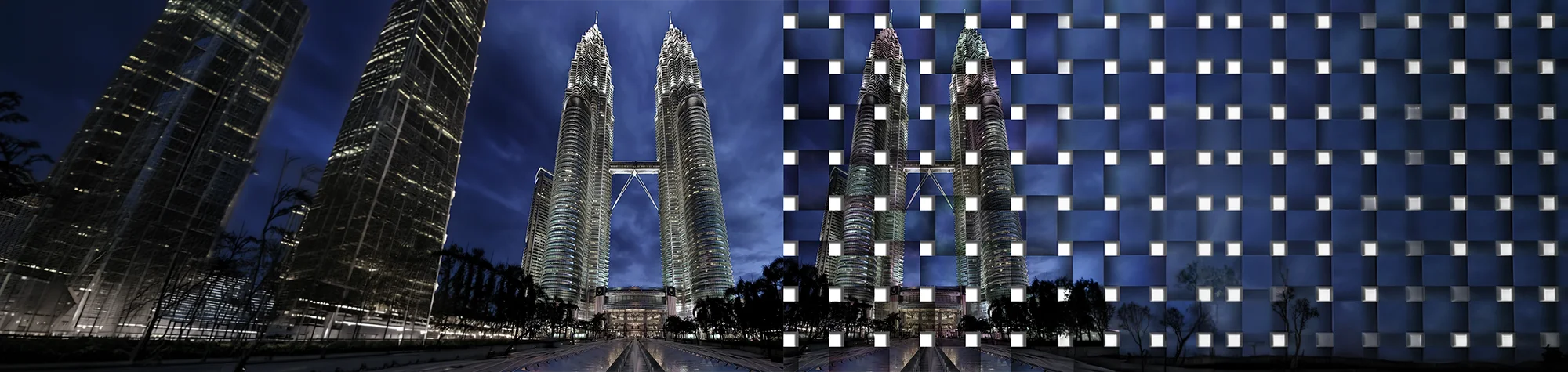
Stylish Photo Effect in Photoshop
Turn ordinary photos into stunning artwork with this stylish photo effect in Photoshop. This technique works on landscapes, portraits, and even creative projects, giving them a polished, professional feel that can transform your images into eye-catching pieces for your room or portfolio.
Watch the Stylish Photo Effect Photoshop Tutorial
Watch the full tutorial below to see how to create this stylish photo effect step by step in Photoshop.
What You’ll Learn in This Tutorial
In this lesson, you will learn how to:
-
Apply a stylish photo effect in Photoshop
-
Enhance both portraits and landscapes
-
Adjust contrast, colour, and texture
-
Give creative projects a polished, artistic finish
-
Make images stand out for prints or digital use
Who This Tutorial Is For
This tutorial is ideal for:
-
Photoshop beginners
-
Photographers
-
Artists and designers
-
Anyone wanting to elevate their images
Where You Can Use This Effect
Stylish photo effects work great for:
-
Room decor prints
-
Portrait and landscape photography
-
Social media visuals
-
Creative design projects
-
Art portfolios
Professional Photoshop Editing Services
If you want professionally enhanced images or custom stylish effects applied to your photos, I offer Photoshop editing services for individuals and businesses.
Attribution and Licensing
Creative Commons CC BY-SA 4.0/Someformofhuman: https://en.wikipedia.org/wiki/File:Petronas_Panorama_II.jpg
End Music: Wallpaper Kevin MacLeod (incompetech.com). Licensed under Creative Commons: By Attribution 3.0 License http://creativecommons.org/licenses/by/3.0/

Subscribe for More Photoshop Tutorials
Subscribe to my YouTube channel for more Photoshop tutorials, artistic effects, and professional editing tips.