
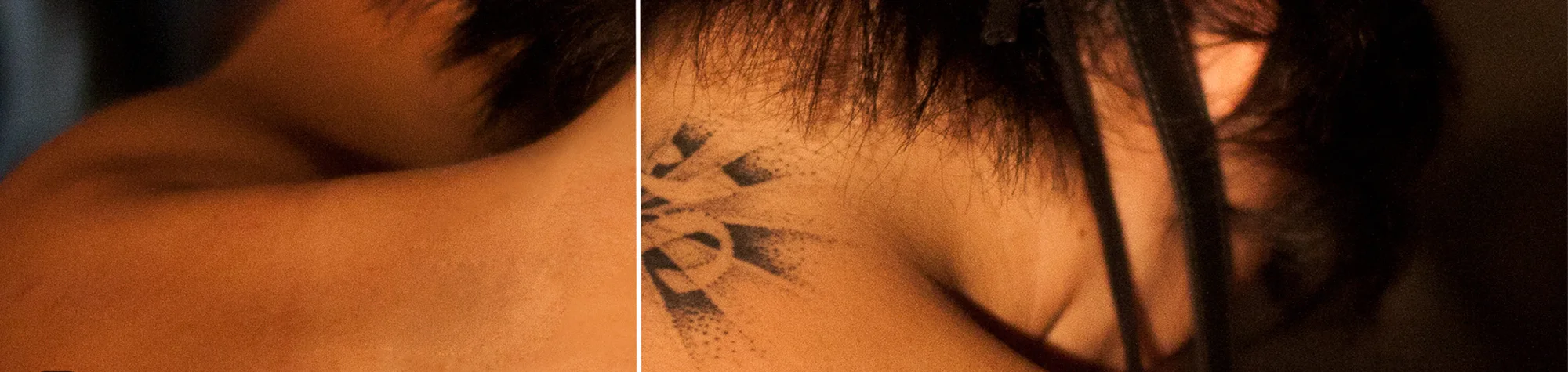
Tattoo Removal Photoshop Tutorial
Have you ever gotten a tattoo and wished you could remove it—or hide it in a photo? With Photoshop, you can remove unwanted tattoos quickly and naturally.
In this tutorial, you will learn how to erase tattoos using professional retouching techniques, leaving the skin looking clean and seamless. No one will ever know the tattoo was there!
Watch the Tattoo Removal Photoshop Tutorial
Watch the full tutorial below to see how to remove tattoos step by step.
What You’ll Learn in This Tutorial
In this lesson, you will learn how to:
-
Remove tattoos naturally and realistically
-
Smooth skin while maintaining texture
-
Retouch images for professional results
Who This Tutorial Is For
This tutorial is ideal for:
-
Photographers and retouchers
-
Photoshop beginners and intermediates
-
Anyone needing tattoo removal or skin retouching
Creative Uses for Tattoo Removal
This effect works well for:
-
Portrait and headshot edits
-
Professional photography retouching
-
Creative photo projects
Professional Photoshop Editing Services
If you want professionally removed tattoos or custom Photoshop edits, I offer services for personal and commercial projects.
Attribution and Licensing
Creative Commons CC BY-SA 2.0/poolski: https://www.flickr.com/photos/poolski/5589853131/sizes/l
End Music: Wallpaper Kevin MacLeod (incompetech.com). Licensed under Creative Commons: By Attribution 3.0 License http://creativecommons.org/licenses/by/3.0/
Subscribe for More Photoshop Tutorials
Subscribe to my YouTube channel for more Photoshop tutorials, retouching techniques, and professional editing tips.