
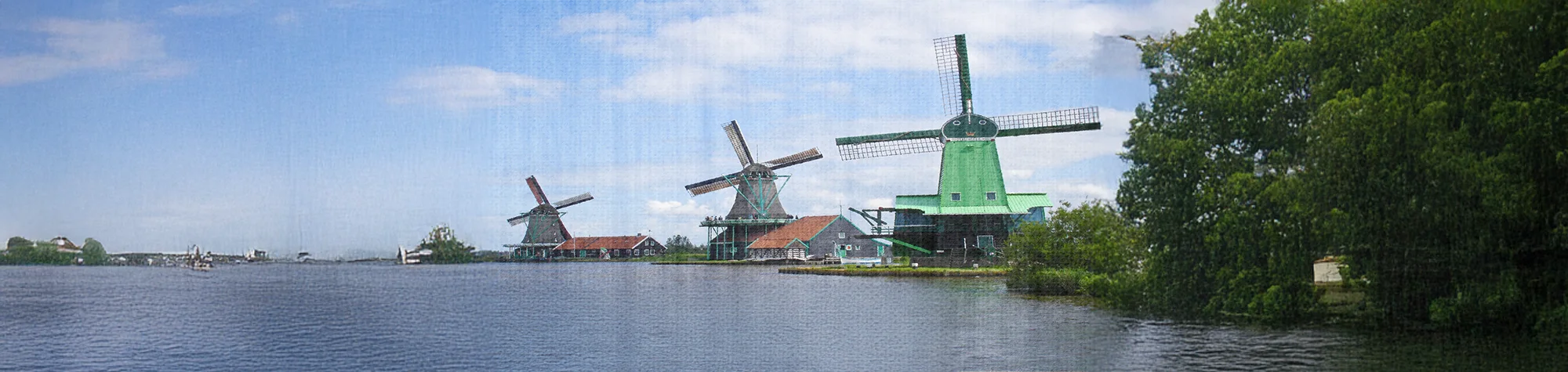
Art Paper Effect Photoshop Tutorial
Transform your photos into works of art with a realistic art paper effect in Photoshop. This technique makes images look like they have been painted on canvas, giving your photos a creative, artistic touch.
In this tutorial, you will learn how to apply textures and effects to create the illusion of painted canvas. The result works beautifully for digital prints, wall art, and creative projects.
Watch the Art Paper Effect Photoshop Tutorial
Watch the full tutorial below to see how to create the art paper effect step by step.
What You’ll Learn in This Tutorial
In this lesson, you will learn how to:
-
Apply a realistic canvas texture to photos
-
Create an art paper or painted effect
-
Enhance colors and tones for a professional look
-
Prepare images for prints or digital artwork
Who This Tutorial Is For
This tutorial is perfect for:
-
Photoshop beginners
-
Digital artists and photographers
-
Designers creating wall art
-
Anyone wanting a creative, artistic photo effect
Creative Uses for the Art Paper Effect
This effect works well for:
-
Canvas or framed prints
-
Digital artwork for portfolios
-
Social media posts
-
Artistic photography projects
Professional Photoshop Editing Services
If you want professionally applied art paper effects or custom Photoshop edits, I offer services for personal and commercial projects.
Attribution and Licensing
Photos courtesy of and copyright Free Range Stock, www.freerangestock.com. Author: GlennForrest. https://freerangestock.com/details.php?gid=64&pid=16965&sgid
End Music: Wallpaper Kevin MacLeod (incompetech.com). Licensed under Creative Commons: By Attribution 3.0 License http://creativecommons.org/licenses/by/3.0/
Subscribe for More Photoshop Tutorials
Subscribe to my YouTube channel for more Photoshop tutorials, artistic effects, and professional editing techniques.