
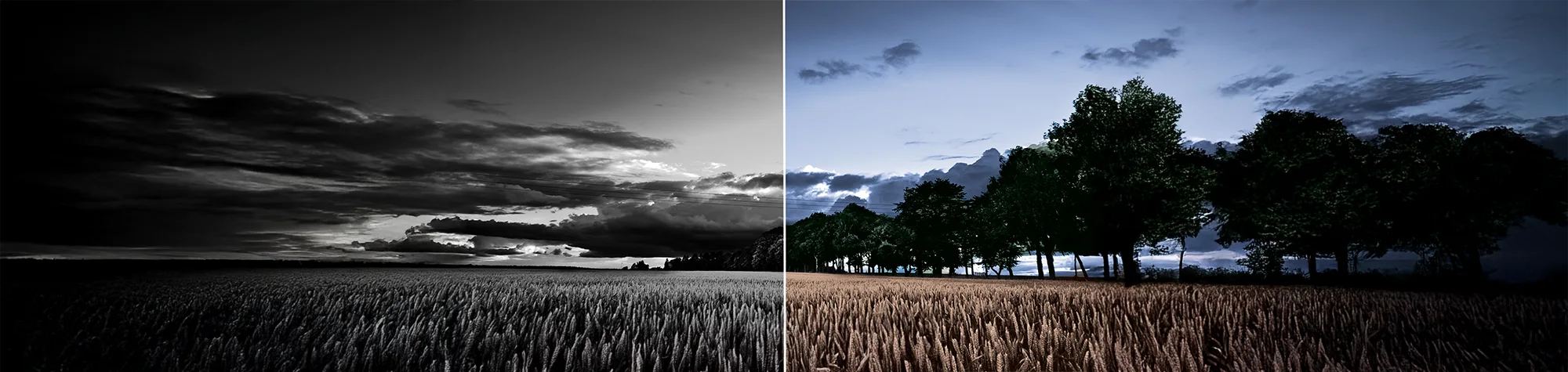
Colourize Black and White Photos in Photoshop
Black and white photos don’t have to look flat or boring. By adding carefully placed colour, you can bring old or monochrome images back to life and make them truly stand out.
In this tutorial, you’ll learn how to colourize black and white photos in Photoshop using simple selection techniques. Once you understand how to select areas correctly, you can apply realistic colour to almost anything—quickly and easily.
Watch the Black & White Colourization Tutorial
Watch the full tutorial below to see how to colourize black and white photos step by step.
What You’ll Learn in This Tutorial
In this lesson, you will learn how to:
-
Colourize black and white photos in Photoshop
-
Create clean and accurate selections
-
Apply realistic colour using adjustment layers
-
Control colour strength and blending
-
Add colour without damaging the original image
Who This Tutorial Is For
This tutorial is perfect for:
-
Photoshop beginners
-
Photo restorers
-
Anyone working with old photos
-
Designers wanting selective colour effects
Where You Can Use This Effect
Colourized black and white photos work great for:
-
Photo restorations
-
Family history images
-
Creative portrait edits
-
Before-and-after comparisons
Professional Photoshop Editing Services
If you need professional photo restoration or realistic colourization for your images, I offer Photoshop editing services for individuals and businesses.
Attribution and Licensing
freeimages.com/Peter Suneson: http://www.freeimages.com/photo/field-3-1353800
Background Music: Sovereign Kevin MacLeod (incompetech.com). Licensed under Creative Commons: By Attribution 3.0 License http://creativecommons.org/licenses/by/3.0/
Subscribe for More Photoshop Tutorials
Subscribe to my YouTube channel for more Photoshop tutorials, photo restoration tips, and creative editing techniques.