
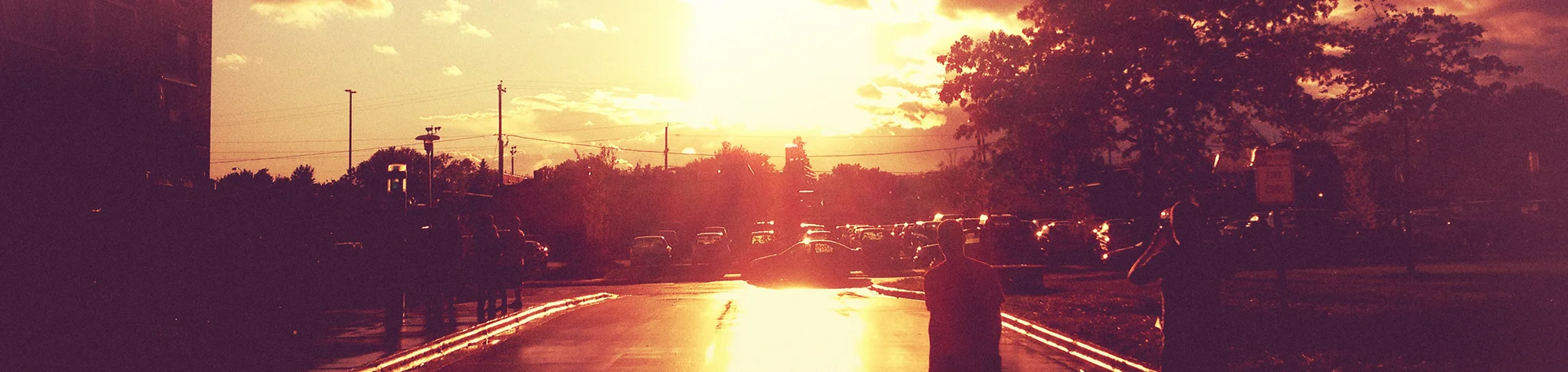
Create Light Leak Effects in Photoshop
Light leaks add a vintage, cinematic feel to photos and can instantly change the mood of an image. They work especially well for creating dramatic scenes and retro-style photography.
In this tutorial, you’ll learn how to create light leak effects in Photoshop using a fast and simple workflow. With just a few steps, you can apply light leaks to your photos and make them stand out from the crowd.
Watch the Light Leak Photoshop Tutorial
Watch the full tutorial below to see how to create light leak effects step by step.
What You’ll Learn in This Tutorial
In this lesson, you will learn how to:
-
Create realistic light leak effects in Photoshop
-
Add a vintage and cinematic look to photos
-
Control colour, opacity, and blend modes
-
Apply light leaks non-destructively
-
Enhance mood and atmosphere
Who This Tutorial Is For
This tutorial is ideal for:
-
Photoshop beginners
-
Photographers
-
Retro and vintage photo editors
-
Anyone wanting dramatic photo effects
Where You Can Use This Effect
Light leak effects work great for:
-
Vintage-style photos
-
Portrait photography
-
Lifestyle images
-
Social media posts
-
Creative photo projects
Professional Photoshop Editing Services
If you want professionally edited photos with light leak or vintage effects, I offer Photoshop editing services for individuals and businesses.
Attribution and Licensing
Images are used under the SXC License
Background Music: Sovereign Kevin MacLeod (incompetech.com). Licensed under Creative Commons: By Attribution 3.0 License http://creativecommons.org/licenses/by/3.0/
Subscribe for More Photoshop Tutorials
Subscribe to my YouTube channel for more Photoshop tutorials, creative effects, and professional editing tips.