
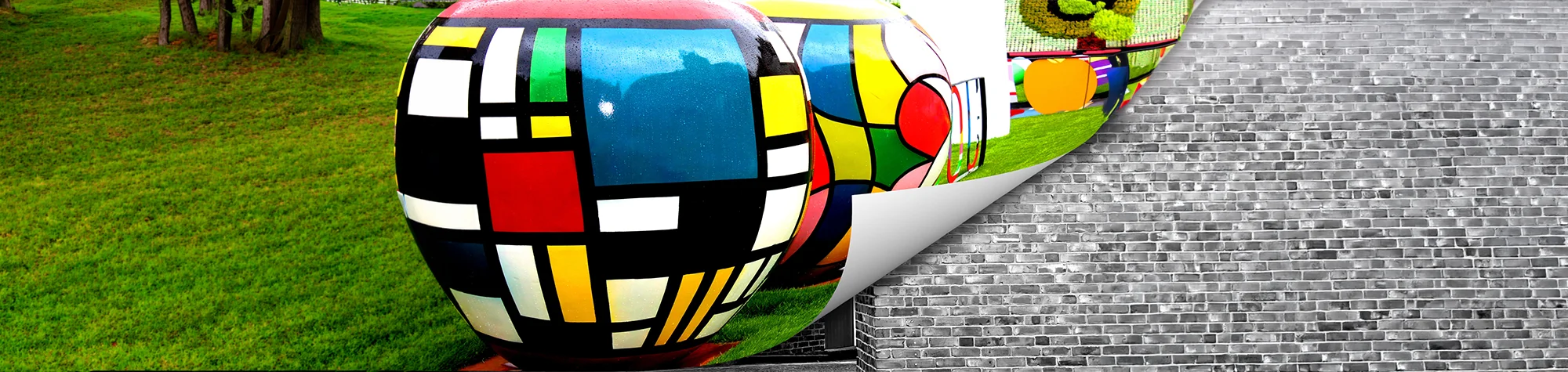
Page Curl Effect Photoshop Tutorial Step-by Step Guide
The Page Curl Effect is a creative Photoshop technique that makes images look as though a page corner is being turned. This effect is perfect for creating photo book designs, magazine style layouts, stickers, and realistic paper effects.
In this Photoshop tutorial, I’ll show you how to create the Page Curl Effect step by step. You’ll learn how to apply the effect to photos and objects, giving your images a professional and stylish finish using Adobe Photoshop.
Watch the Page Curl Effect Photoshop Tutorial
Watch the full video tutorial below to see exactly how to create the Page Curl Effect in Photoshop and apply it to your own images.
What You Need Before You Start
Before creating the Page Curl Effect in Photoshop, make sure you have:
-
Adobe Photoshop installed
-
An image or object you want to apply the effect to
-
Basic understanding of Photoshop layers and selections
This tutorial is beginner-friendly and does not require advanced Photoshop skills.
Creative Uses for the Page Curl Effect
The Page Curl Effect can be used for:
-
Photo books and albums
-
Magazine-style layouts
-
Stickers and product mockups
-
Creative photo manipulations
Experimenting with different images and angles can produce unique and eye-catching designs.
Who This Tutorial Is For
This Photoshop tutorial is ideal for:
-
Beginners learning creative Photoshop effects
-
Designers creating print-style visuals
-
Photographers enhancing presentation images
-
Anyone wanting to improve their Photoshop skills
Need a Professional Photoshop Edit?
If you’d like this effect applied professionally or need help with custom Photoshop edits, I offer professional Photoshop editing services. Whether you need creative effects, retouching, or photo manipulation, you can contact me for a custom quote.
Attributions
Creative Commons CC BY 2.0/Les Haines: https://www.flickr.com/photos/leshaines123/8038656413/sizes/l and https://www.flickr.com/photos/leshaines123/8043038299/sizes/l
End Music: Wallpaper Kevin MacLeod (incompetech.com). Licensed under Creative Commons: By Attribution 3.0 License http://creativecommons.org/licenses/by/3.0/
Subscribe for More Photoshop Tutorials
Subscribe to my YouTube channel for more Photoshop tutorials, creative effects, and professional editing techniques.