
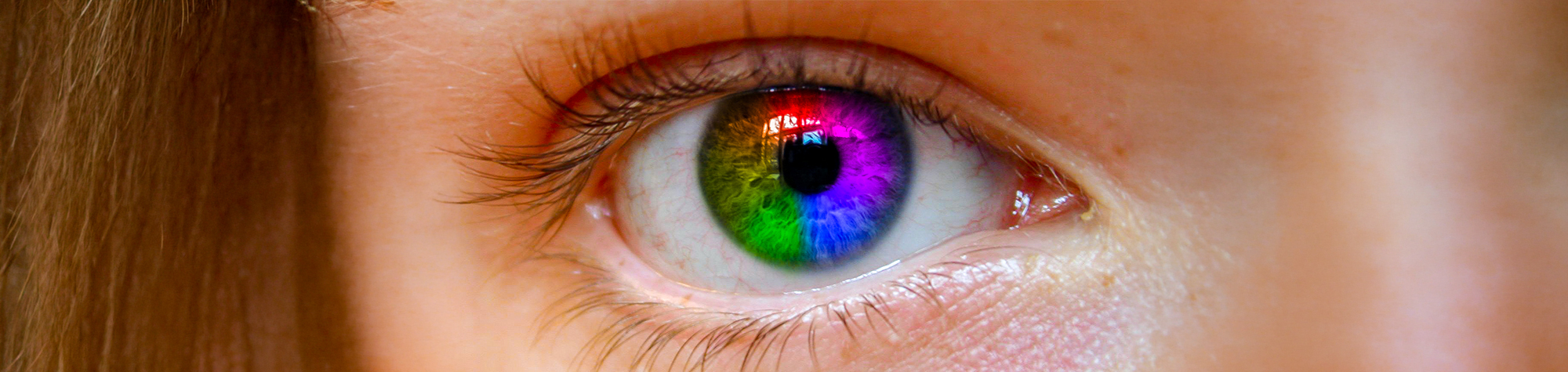
Rainbow Eye Effect in Photoshop
In this tutorial, you will learn how to create a vibrant rainbow eye effect in Photoshop so you can enhance your portraits and make your images truly stand out.
This effect works great on portraits and creative images, allowing you to add colour, style, and personality to the eyes. Once you’ve learned this technique, you’ll be able to apply it to many different photos to help you create the perfect picture.
Watch the Rainbow Eye Effect Tutorial
Watch the full Photoshop tutorial below to learn how to create the rainbow eye effect step by step.
What You’ll Learn in This Tutorial
In this tutorial, you will learn how to:
-
Create a rainbow eye effect in Photoshop
-
Enhance eyes using colour and blending modes
-
Apply the effect to portraits
-
Improve eye detail and impact
-
Create eye-catching and creative images
Who This Tutorial Is For
This tutorial is ideal for:
-
Photoshop beginners
-
Portrait photographers
-
Photo editors
-
Digital artists
-
Anyone wanting to enhance eyes in Photoshop
When to Use the Rainbow Eye Effect
This effect is perfect for:
-
Portrait photography
-
Creative photo edits
-
Fantasy and artistic images
-
Social media images
-
Stylised Photoshop artwork
Professional Photoshop Editing Services
I offer professional Photoshop editing and photo restoration services, including retouching, colourisation, background removal, and creative enhancements. Each project is handled individually to ensure natural results.
If you have an image you’d like edited, visit the Hire Me page to submit your photo and receive a personalised quote.
Attribution and Licensing
© ImageAfter/GNU GPLv2: http://gpl.imageafter.com/image.php?image=b1eye01.jpg
Creative Commons CC BY 2.0/Fabio: https://www.flickr.com/photos/star-dust/709945164/sizes/o/
Background Music: Sovereign Kevin MacLeod (incompetech.com). Licensed under Creative Commons: By Attribution 3.0 License http://creativecommons.org/licenses/by/3.0/

Subscribe for More Photoshop Tutorials
Subscribe to my YouTube channel for more Photoshop tutorials, creative effects, and professional photo editing techniques.