
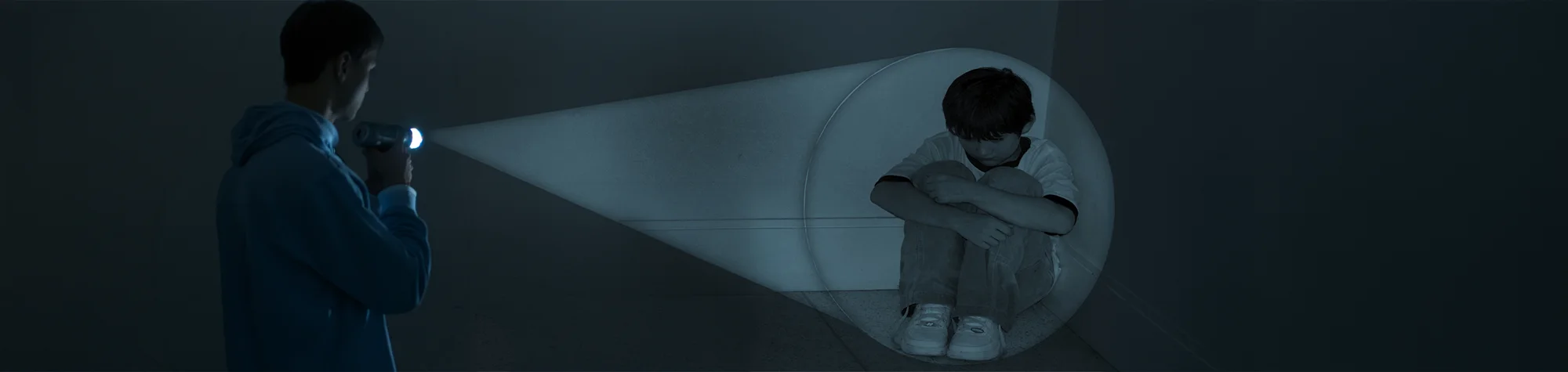
Add a Spotlight Effect in Photoshop
Spotlight effects can completely change the mood of an image. You can use them to create drama, add tension, or draw attention to a specific area in your photo. Whether you’re working on a scary scene, a dramatic portrait, or a creative project, spotlights help guide the viewer’s eye.
In this tutorial, you’ll learn how to add a realistic spotlight effect in Photoshop. You can use it to emphasise what’s happening in your image—or simply apply it as a creative lighting effect to enhance your artwork.
Watch the Spotlight Effect Photoshop Tutorial
Watch the full tutorial below to see how to create and control a spotlight effect step by step.
What You’ll Learn in This Tutorial
In this lesson, you will learn how to:
-
Add a spotlight effect to any photo
-
Emphasise key subjects in an image
-
Create dramatic lighting for mood and impact
-
Control light position, strength, and softness
-
Use spotlights as a creative special effect
Who This Tutorial Is For
This tutorial is perfect for:
-
Photoshop beginners
-
Photographers and designers
-
Digital artists working on composites
-
Anyone wanting dramatic lighting effects
Where You Can Use This Effect
Spotlight effects work great for:
-
Dramatic portraits
-
Horror or cinematic images
-
Creative photo composites
-
Posters, artwork, and design projects
Professional Photoshop Editing Services
If you want professional lighting effects or dramatic edits applied to your photos, I offer Photoshop editing services for individuals and businesses.
Attribution and Licensing
freeimages.com/Stacy Braswell: http://www.freeimages.com/photo/sad-and-scared-1432187
Background Music: Sovereign Kevin MacLeod (incompetech.com). Licensed under Creative Commons: By Attribution 3.0 License http://creativecommons.org/licenses/by/3.0/
Subscribe for More Photoshop Tutorials
Subscribe to my YouTube channel for more Photoshop tutorials, lighting effects, and professional editing tips.