
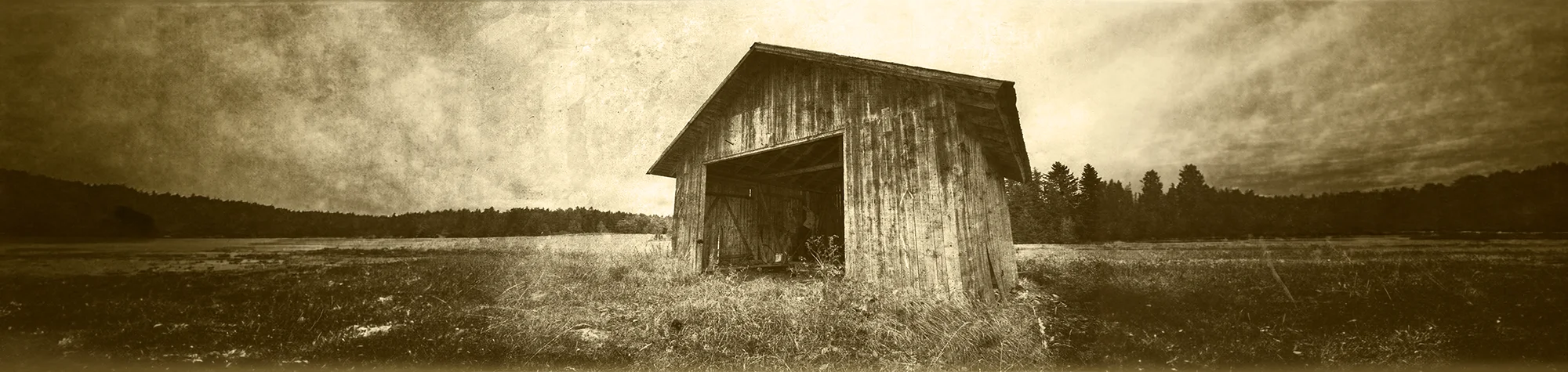
Old Photo Effect Photoshop Tutorial
Old photographs have a unique charm and character. In this Photoshop tutorial, you will learn how to turn modern photos into aged images with a torn, damaged, and brown vintage effect.
This technique helps your photos look as if they came straight from a history book. You can apply this style to portraits, landscapes, and creative projects to achieve an authentic aged appearance.
Watch the Old Photo Effect Photoshop Tutorial
Watch the full tutorial below to learn how to create an old photo effect in Photoshop step by step.
What You Need Before You Start
To follow this tutorial, you will need:
-
Adobe Photoshop
-
A modern photo to edit
-
Basic knowledge of layers and adjustment tools
This tutorial suits beginners and intermediate users.
Creative Uses for Old Photo Effects
This effect works well for:
-
Photo restoration projects
-
Historical-style artwork
-
Creative photo edits
-
Design and storytelling visuals
Who This Tutorial Is For
This tutorial is ideal for:
-
Photoshop beginners
-
Photo restoration enthusiasts
-
Designers creating vintage styles
-
Anyone exploring aged photo effects
Professional Photo Restoration Services
If you want professionally aged photos or photo restoration work, I offer Photoshop editing and restoration services for personal and commercial projects.
Attribution and Licensing
CC BY 2.0/Miguel Virkkunen Carvalho: https://www.flickr.com/photos/miguelvirkkunen/9394840634/sizes/l
rgbstock.com/Dave Dyet: http://www.rgbstock.com/bigphoto/mlJMYKS%2FVintage%2BLog%2BCabin%2B1
End Music: Wallpaper Kevin MacLeod (incompetech.com). Licensed under Creative Commons: By Attribution 3.0 License http://creativecommons.org/licenses/by/3.0/
Subscribe for More Photoshop Tutorials
Subscribe to my YouTube channel for more Photoshop tutorials, vintage effects, and professional editing techniques.