
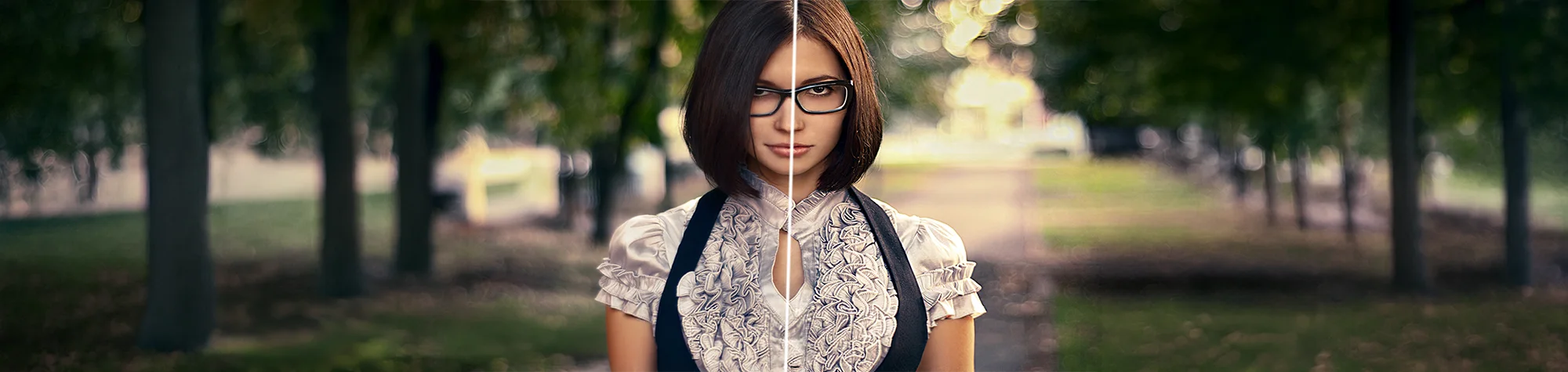
Sharpen Images in Photoshop
Sharp images instantly look more professional and detailed. Even a great photo can feel flat or soft if it lacks proper sharpening.
In this tutorial, you’ll learn how to sharpen images in Photoshop to bring out fine details and improve overall clarity. You’ll see how small sharpening adjustments can make a huge difference to your photos without introducing harsh edges or unwanted noise.
Watch the Image Sharpening Photoshop Tutorial
Watch the full tutorial below to see how to sharpen your photos step by step in Photoshop.
What You’ll Learn in This Tutorial
In this lesson, you will learn how to:
-
Sharpen images in Photoshop effectively
-
Enhance fine details without over-sharpening
-
Improve photo clarity and texture
-
Apply sharpening for different image types
-
Make photos look crisp and professional
Who This Tutorial Is For
This tutorial is ideal for:
-
Photoshop beginners
-
Photographers
-
Photo retouchers
-
Content creators and designers
Where You Can Use This Effect
Image sharpening works perfectly for:
-
Portrait photography
-
Landscape photos
-
Product images
-
Social media content
-
Website and print images
Professional Photoshop Editing Services
If you want your images professionally sharpened or fully retouched, I offer Photoshop editing services for individuals and businesses.
Attribution and Licensing
Creative Commons CC BY 2.0/Din Muhammad Sumon: https://www.flickr.com/photos/dmsumon/6785898422/sizes/l
End Music: Wallpaper Kevin MacLeod (incompetech.com). Licensed under Creative Commons: By Attribution 3.0 License http://creativecommons.org/licenses/by/3.0/
Subscribe for More Photoshop Tutorials
Subscribe to my YouTube channel for more Photoshop tutorials, photo retouching tips, and professional editing techniques.